
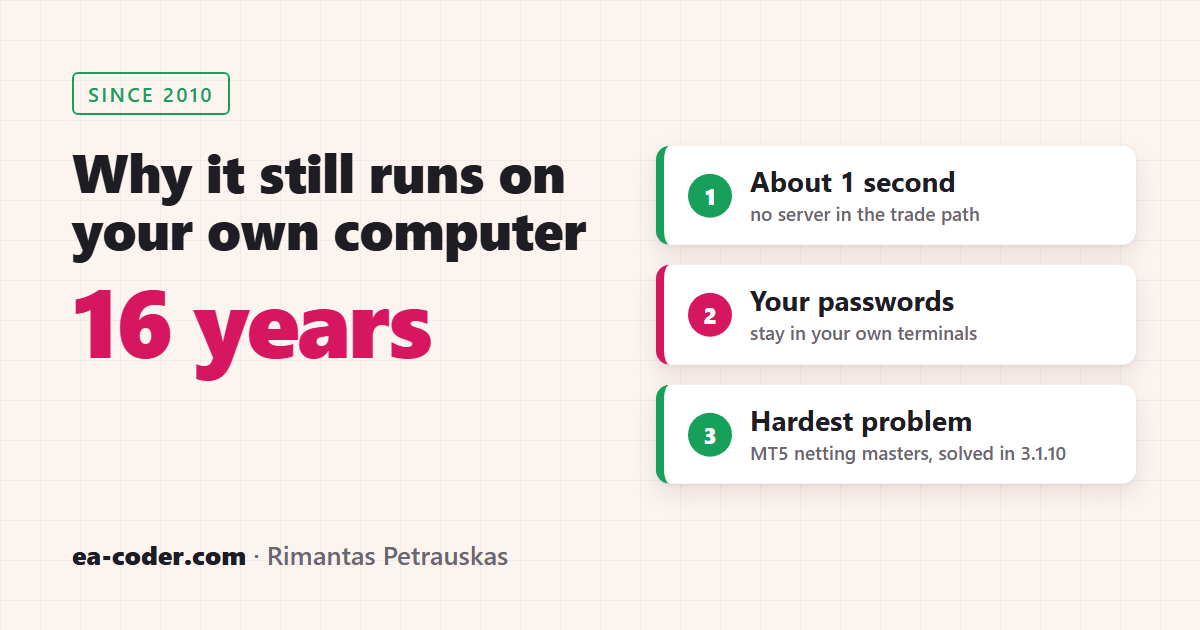
Local Trade Copier still runs on your own PC or VPS because that’s what keeps copying fast and keeps your accounts in your hands. It also started that way, as a job for one customer in 2010. I did consider building a cloud copier over the years. I’ve kept one rule instead: nothing goes into Local Trade Copier that slows copying down.
I’m Rimantas Petrauskas. I’ve built apps for MetaTrader traders since 2009. This is the story of how Local Trade Copier began, why it stayed local, and the hardest problem in its 16 years.
How it started: a job for a customer who vanished
I got interested in computers when I was 12. Years later I was working a 9-to-5 job as an IT specialist and programmer, and it didn’t pay enough. So I tried trading. That turned out to be much harder than I expected.
I went back to what I do best, which is writing code. I built tools for my own trading and shared them in trading communities, and word about them spread.
One day, an e-mail came from a trader in Russia. He asked if I could build a tool that copies trades. I wasn’t sure I could, but I took it as a challenge.
After weeks of coding, it worked. Then he vanished. No reply, no payment.
I needed the money, so I put the copier online to see if anyone would buy it. It sold far better than I expected. Questions came in from retail traders, account managers and fund managers. I kept improving it, and that was the beginning of Local Trade Copier, back in 2010.
I told the longer version, with the setbacks, on Legacy Makers TV.
Why it stayed local
Local Trade Copier copies between MetaTrader terminals on the same Windows PC or VPS:
- LTC Server on the master account writes each trade to a small file on that computer’s disk.
- LTC Client on every other account reads it and places the copy.
No trade travels from one terminal to another over the internet.
Three things follow from that design, and traders still care about all three:
- Speed. There’s no round trip to a remote server, so copies usually open in about a second. In our November 2026 test on a Windows VPS, new trades from an MT5 master opened on the client accounts a median of about 0.8 seconds after the master’s fill. The full method is in my trade copier speed test.
- Your passwords stay with you. You log in to your own MetaTrader terminals, and Local Trade Copier never asks for your passwords. LTC Server does check its licence online, at start and about once an hour, but that check sends no trades and no passwords.
- Your own IP. Each terminal connects to its broker from your computer, the same way it would without a copier.
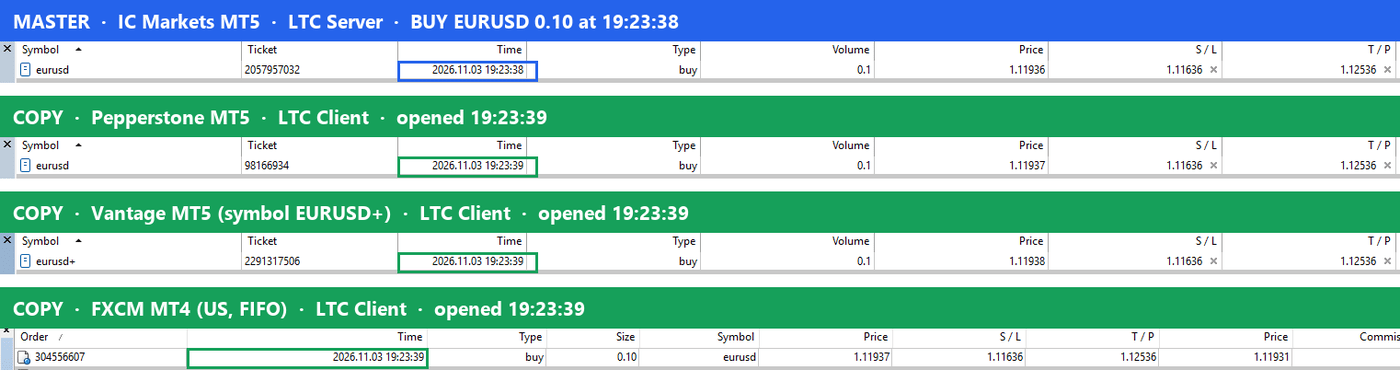
If you want to check this on your own PC, I showed how in how to check if a trade copier really runs locally.
Did I ever consider a cloud copier?
Yes, more than once. A cloud copier is a different kind of product:
- servers that run around the clock;
- other people’s account passwords to look after;
- someone watching it all, day and night.
For one developer, that always looked too big. Meanwhile, the local copier kept doing its job well, so I kept improving it.
The one rule: never slow it down
Over 16 years, Local Trade Copier has grown a lot: lot sizing for each account, filters, Max Daily Loss for prop firm accounts, Manual-Like Entry, MT4 to MT5 copying, and more. Many of those ideas came from traders’ e-mails.
There’s one kind I won’t add: anything that makes trade copying slower. With this kind of software, speed is one of the most important things. A feature that costs every trade a fraction of a second costs every trader, on every trade, forever. So every new feature has to stay out of the way of the copy itself.
Mountains, volcanoes and one favourite place
For a while, I gave versions names, the way other software companies do. Version 2.8 in 2016 was “Nanga Parbat”, and 2.9 that summer was “Broad Peak”. Honestly, those names didn’t mean anything special to me.
Version 2.9.6, in May 2018, was different. I’d just come back from Kilauea, a place I visited and loved. I released the new version when I got home and named it after that place. The 2.9.6 “Kilauea” release notes are still online.
The hardest problem in 16 years
An MT5 netting account as the master. A netting account keeps one position per symbol, so when you add to a trade or close part of it, the same position simply grows or shrinks. A copier needs individual trades to copy, and a netting master doesn’t give it any.
It took me a long time to get that right. Since version 3.1.10, released on 6 November 2026, it works:
- every opening deal on the netting master is copied as its own trade;
- when the master reduces its position, the oldest copies are closed first.
The copies can go to MT5 hedging, MT5 netting, MT4 or US FIFO accounts.
16 years in a few lines
- 2010: the first Local Trade Copier, for MT4.
- 2013: the first edition of the Definitive Guide to Forex Trade Copying. A new edition came out in 2026.
- 2016: versions 2.8 “Nanga Parbat” and 2.9 “Broad Peak”.
- 2018: version 2.9.6 “Kilauea”.
- 2020: the MT5 trade copier.
- 2026: Manual-Like Entry in 3.0.0, then 3.1.8 and 3.1.10 with MT5 netting masters.
More than 15,000 licences sold, to buyers in 140+ countries, and it still runs on your own computer. If you’d like to see how it works on yours, try Local Trade Copier free for 7 days.