
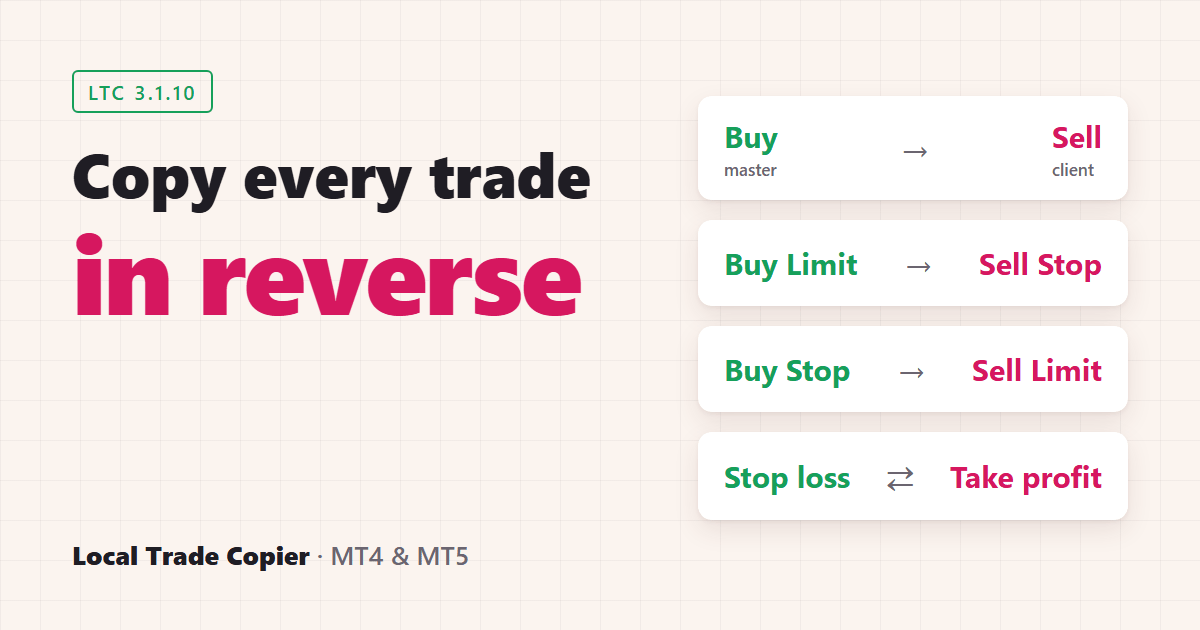
Reverse mode makes Local Trade Copier (LTC) by Algonexis Technologies open each copied trade in the opposite direction: a buy on the master account becomes a sell on the client account, and a sell becomes a buy. You switch it on with one setting, ReverseTrades = true, in LTC Client on the account that should trade the other way. It works between MT4 and MT5 accounts in any direction, on your own PC or VPS.
Local Trade Copier has had reverse mode since 2012. Traders kept asking the same question: if a system loses almost every trade, can’t I just trade the opposite? This post explains what reverse mode does in LTC 3.1.10, what it costs, and when it makes sense.
How do you turn on reverse mode?
Reverse mode is a setting of LTC Client, so you choose it per client account. LTC Server on the master account doesn’t change. One master can therefore be copied normally to one account and reversed to another at the same time.
- Run LTC Server on the master account as usual.
- On the client account, open the LTC Client settings and set
ReverseTradestotrueon the Inputs tab. - Check the LTC Client panel on the chart. It shows “Reverse Trades: Yes”.
- Open a small test trade with a stop loss and a take profit on a demo master account, and check the opposite trade on the client.
The full setup, step by step, is in the reverse trade copying guide on mt4copier.com.
How are pending orders reversed?
Every order type is turned around, and pending orders keep their price:
| Master account | Reversed client account |
|---|---|
| Buy | Sell |
| Sell | Buy |
| Buy Limit | Sell Stop, same price |
| Buy Stop | Sell Limit, same price |
| Sell Limit | Buy Stop, same price |
| Sell Stop | Buy Limit, same price |
One exception in LTC 3.1.10: MT5 Buy Stop Limit and Sell Stop Limit orders aren’t reversed. If your master account uses them, set IgnorePendingOrders = true on the reversed client. The trade is then copied, reversed, when the master’s order fills.
What happens to the stop loss and take profit?
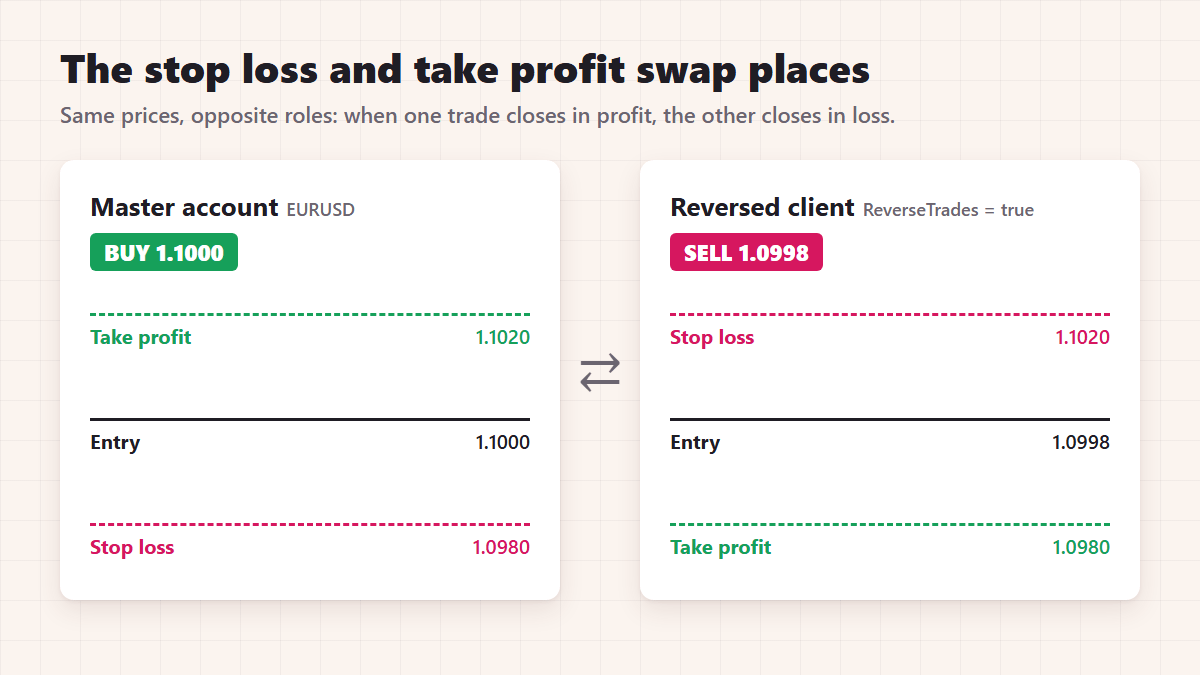
They swap places. The copy’s stop loss is at the master’s take profit price, and the copy’s take profit is at the master’s stop loss price. So when the master trade hits its take profit, the copy hits its stop loss at the same moment, and the other way round.
Don’t confuse this with the SwapSLTP setting. SwapSLTP swaps the stop loss and take profit distances on a normal, non-reversed copy. For reverse mode, leave it off.
You can still make the copy’s levels wider or tighter with StopLossMultiplier and TakeProfitMultiplier.
How is the lot size calculated on a reversed account?
All LTC Client lot sizing options work in reverse mode. The risk-based ones need care. They size the copy from its own stop loss, and on a reversed account that is the master’s take profit. If the master trade has no take profit, the copy has no stop loss to size from, so LTC waits and logs “delayed because stop loss is not set yet”. To avoid that, use the AA lot mode or a fixed lot, or make sure every master trade has a take profit.
Does reversing a losing system make it profitable?
Not by itself. Reversing changes the direction of a trade, not its costs. Both the master and the copy pay the spread and any commission.
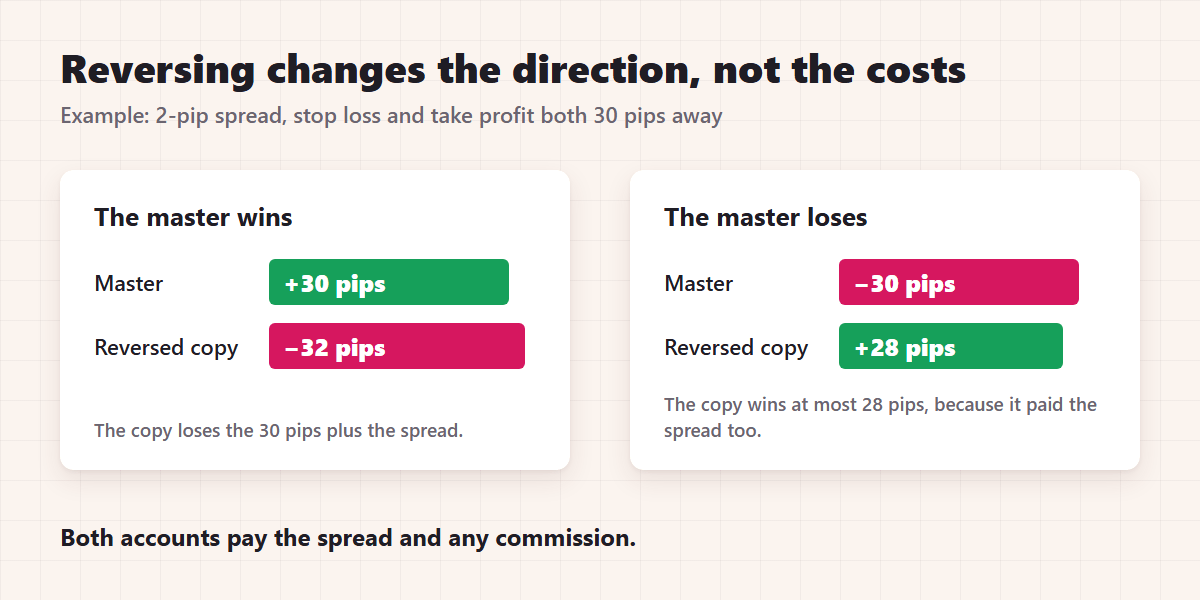
An example with a 2-pip spread and a trade with its stop loss and take profit both 30 pips away:
- When the master wins 30 pips, the reversed copy loses 32.
- When the master loses 30 pips, the reversed copy wins 28 at most.
A system that loses mainly because of spread and commission will lose on the reversed account too. Reversing only has a chance with a system that loses because it keeps picking the wrong direction, with losses clearly bigger than its costs. Test that on demo accounts first. If the reversed demo account loses as well, the costs are the problem, not the direction.
Is reverse copying allowed at prop firms and US brokers?
Usually not at prop firms. Most prop firm rules ban opposite positions across accounts, also when all the accounts are yours, and a reversed copy of the same strategy is exactly that. Read your firm’s rules before you use reverse mode on a funded or challenge account.
US brokers apply the NFA’s FIFO and no-hedging rules, and some brokers also check opposite positions across accounts. Ask your broker before you rely on two accounts to hold opposite trades.
Reverse mode FAQ
Can I copy one master normally to one account and reversed to another?
Yes. ReverseTrades is set on each LTC Client separately, so each client account can follow the master in its own direction.
Does reverse mode work between MT4 and MT5?
Yes, in every direction: MT4 to MT4, MT4 to MT5, MT5 to MT4 and MT5 to MT5.
Are trade changes and closes reversed too?
Yes. When the master moves its stop loss, the copy’s take profit moves to the same price. When the master closes part of the trade, the copy closes the same part, and when the master closes, the copy closes.
Do I need a different LTC Server setting?
No. Only the LTC Client on the reversed account changes.
You can test reverse mode on your own demo accounts with the 7-day free trial of Local Trade Copier.